Ultra+ Manager (UPM)
Ultra+ Manager is the central hub for installing and managing Ultra+ across all your games. Built by Lazorr.
What it does
- Detects your installed games automatically
- One-click install, update, and uninstall for Ultra+ mods
- Full settings configuration per game — no manual file editing
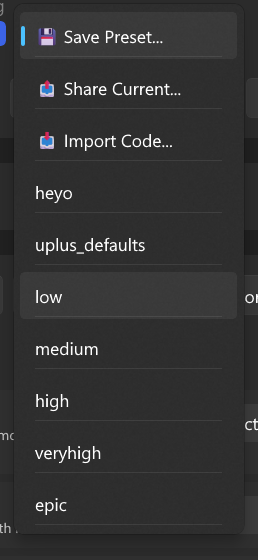
- Preset management (apply defaults, then choose your quality level)
- In-game overlay for live settings changes (Ctrl+Shift+F11)
- Keybind configuration for supported games
Download
Get Ultra+ Manager from NexusMods or the Ultra Place Discord.
Using presets
All current Ultra+ mods include presets. Quality presets are generated automatically when you first launch a game.
- Apply the uplus_defaults preset first (recommended baseline)
- Apply your preferred quality preset (low / medium / high / veryhigh / epic)
- Fine-tune individual settings as needed
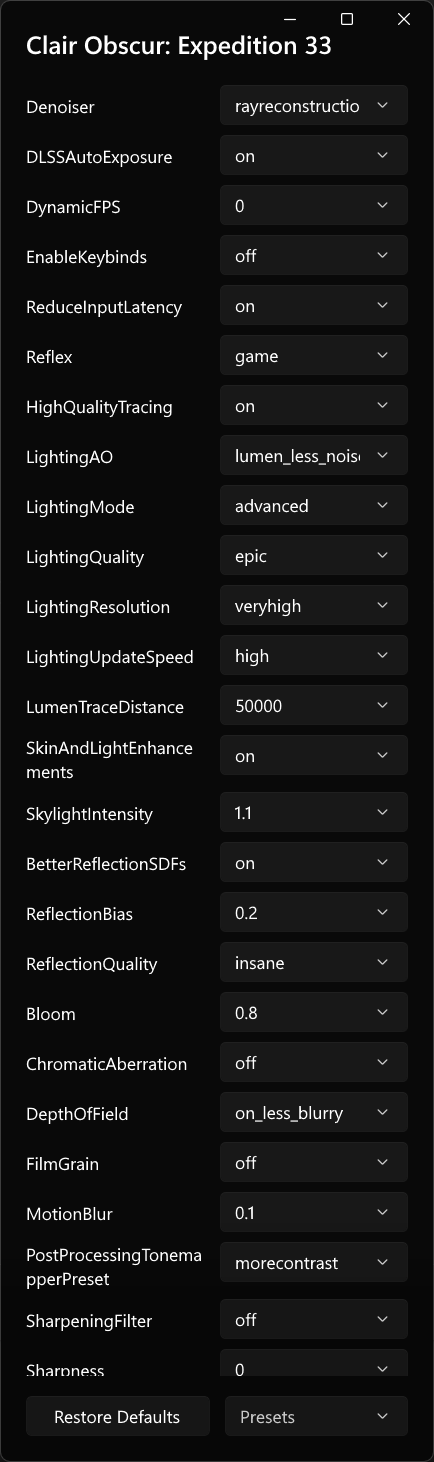
In-game overlay
UPM includes a built-in overlay for changing settings while playing:
- Default keybind: Ctrl + Shift + F11
- Game must be in borderless windowed mode for the overlay to work
- Newer mods support AutoApplyConfig — settings change live as you adjust them in the overlay
Keybind configuration
UPM provides a UI for configuring keybinds on supported games.
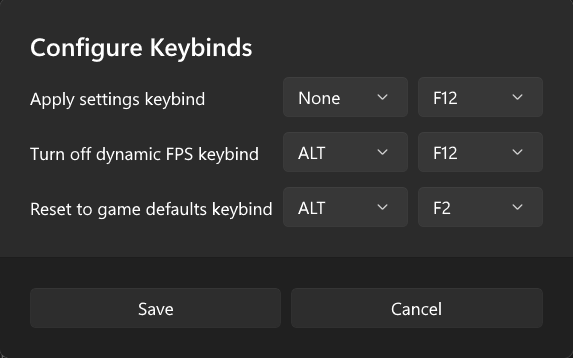
See Configuration — Keybinds for the full keybind reference.
For the complete list of every Ultra+ mod, community add-on, and ReShade preset, see the All Ultra+ Mods page.